
This article is part of our series on digital sovereignty in Europe. This time we look at the Sovereign Control Panel that is starting to appear in Azure. It is still in preview, so we will update this article as Microsoft adds more functionality.
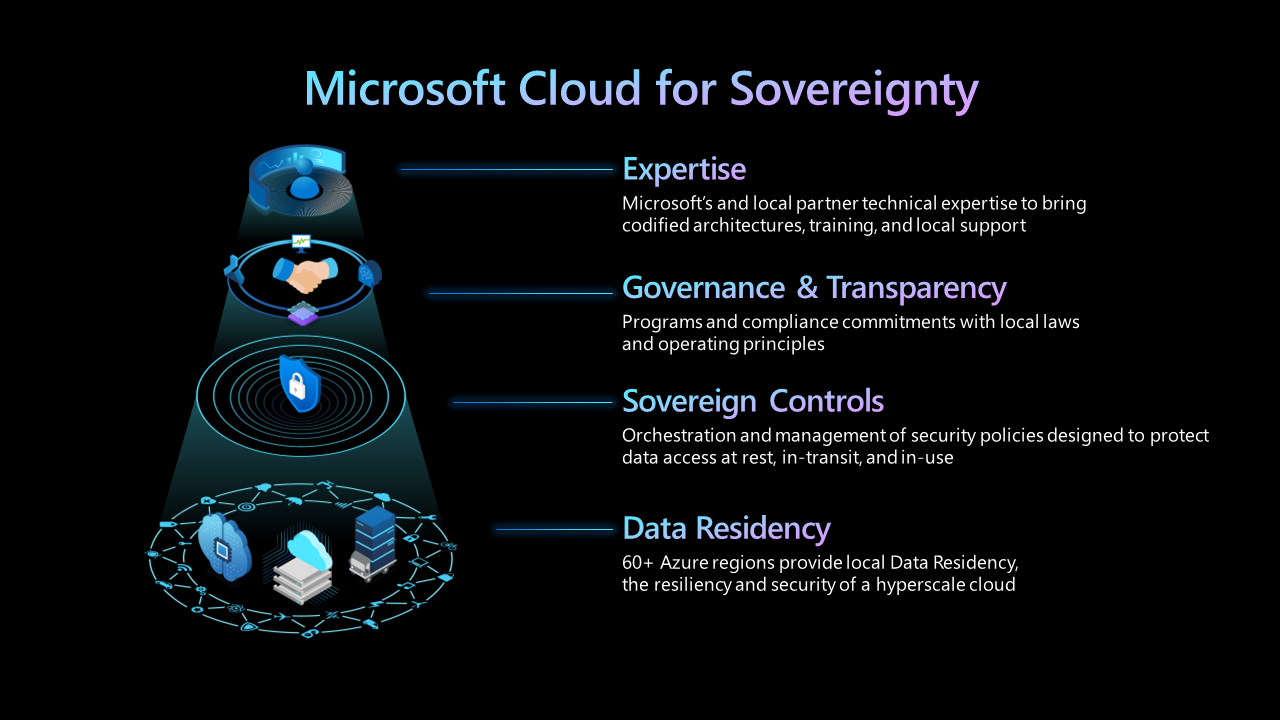
Putting sovereignty controls in place in Azure is not particularly new anymore. You can restrict regions with Azure Policy, require customer managed keys, use confidential computing for the workloads that need it and build the environment on top of a Sovereign Landing Zone.
It becomes more difficult when somebody asks you to prove that all of those controls are actually in place.
That evidence is usually spread across a range of systems like Azure Policy, Defender for Cloud and the configuration of individual resources. It may all be there, but somebody still has to collect it and explain what it means before an audit, assessment or tender.
Microsoft also recognizes this problem in its own documentation. "Regulated organizations often spend more effort proving that controls are in place than implementing the controls themselves." The Sovereign Control Panel is meant to make that part easier.
A single view, with a new name
When Microsoft announced its Sovereign Public Cloud over a year ago, together with Data Guardian and External Key Management, this functionality was called Regulated Environment Management. We also used that name in our earlier article about Microsoft's sovereign solutions.
Microsoft has since renamed it to the Sovereign Control Panel, or SCP. That is useful to know when searching for information, because quite a lot of the existing documentation and coverage still uses the old name.
The idea is fairly straightforward. Instead of looking in several different parts of Azure, you get one place to see the sovereignty posture of your environment across tenants, management groups, subscriptions and resources.
Microsoft divides that into three areas.
- Discover shows the current state, including things such as data residency, confidentiality, operational sovereignty and continuity.
- Control is where the required controls and your own sovereignty rules can be applied.
- Act is intended to help identify sovereignty risks and deal with resources that no longer comply with the expected configuration.
Another compliance dashboard?
For me, the most interesting part is not another compliance dashboard. Azure already has plenty of those. The interesting part is how the Sovereign Control Panel gathers its evidence.
Azure Policy depends heavily on aliases. If Azure does not expose a particular resource property through an alias, Policy cannot properly evaluate it. That means you can end up with a compliance view that looks fine while some of the configuration you actually care about was never checked.
The Sovereign Control Panel does not rely only on Azure Policy results. It can also read resource configuration directly. That sounds like a small implementation detail, but it is important. It means the evidence is not limited to whatever Azure Policy happens to understand today.
That makes it more useful than simply putting another dashboard on top of the regulatory compliance views that already exist in Azure Policy and Defender for Cloud. Microsoft also links the panel to the European Commission's Cloud Sovereignty Framework and the SEAL levels.
There is an important distinction here. SEAL evaluates a cloud provider across eight sovereignty objectives and 48 criteria. Those include areas such as legal jurisdiction and supply chain dependencies.
The Sovereign Control Panel looks at the technical configuration of your Azure environment. So a green Sovereign Control Panel can provide useful evidence during an assessment or tender, but it does not suddenly give your Azure environment a SEAL level.
What you can actually see today
We can already see the Sovereign Control Panel in our own Azure tenant. The Overview blade appears as Sovereign Control Panel (Preview) and currently contains a Get started tab and a Sovereign views tab. Azure also makes the current limitations quite clear. A banner states that the service is available through a private preview program, is currently limited to EU regions and that access to the complete experience requires your Microsoft representative.
The starting point is a custom sovereign view. This evaluates Azure resources against sovereign policies covering things such as data residency and encryption. Most of the more interesting functionality is still behind the private preview.
So while Microsoft documents the Discover, Control and Act model, I would currently treat Control and Act mainly as the direction of travel unless you have actually been admitted to the preview.
It is still a private preview
Microsoft's earlier documentation, from when the service was still called Regulated Environment Management, also gives a good indication of what organizations should have in place before using it.
It assumes an Azure environment built around a sensible management hierarchy, ideally using an Azure Landing Zone or Sovereign Landing Zone. It also expects you to have a data classification model and to map that classification to Microsoft's sovereign control levels.
L1 focuses on residency. L2 adds encryption using customer managed keys. L3 brings confidential computing into the picture. You also need to know how key management is going to work in your environment. That last part is important because the Sovereign Control Panel does not design your sovereignty model for you.
If your policies are mostly running in audit mode, classifications are unclear and nobody really owns the exceptions, the panel will make that visible. It will not fix the underlying problem. And that is probably where most of the real work remains.
A Sovereign Landing Zone, policy as code and a classification model that translates business requirements into actual Azure controls are still the foundation. The Sovereign Control Panel can then turn those controls into something you can continuously see, manage and prove instead of rebuilding the evidence every time somebody asks for it.
If you are running regulated workloads in European Azure regions, I think it is worth asking your Microsoft representative about access to the preview. But I would also look at the foundation first. A better dashboard only becomes really useful when the environment underneath it has been designed properly.
Schedule a conversation with DevOps Masterminds CTO Rinie Huijgen, or contact us.