
Whenever I step into a client's Power BI environment, there are three things I tend to look for almost immediately.
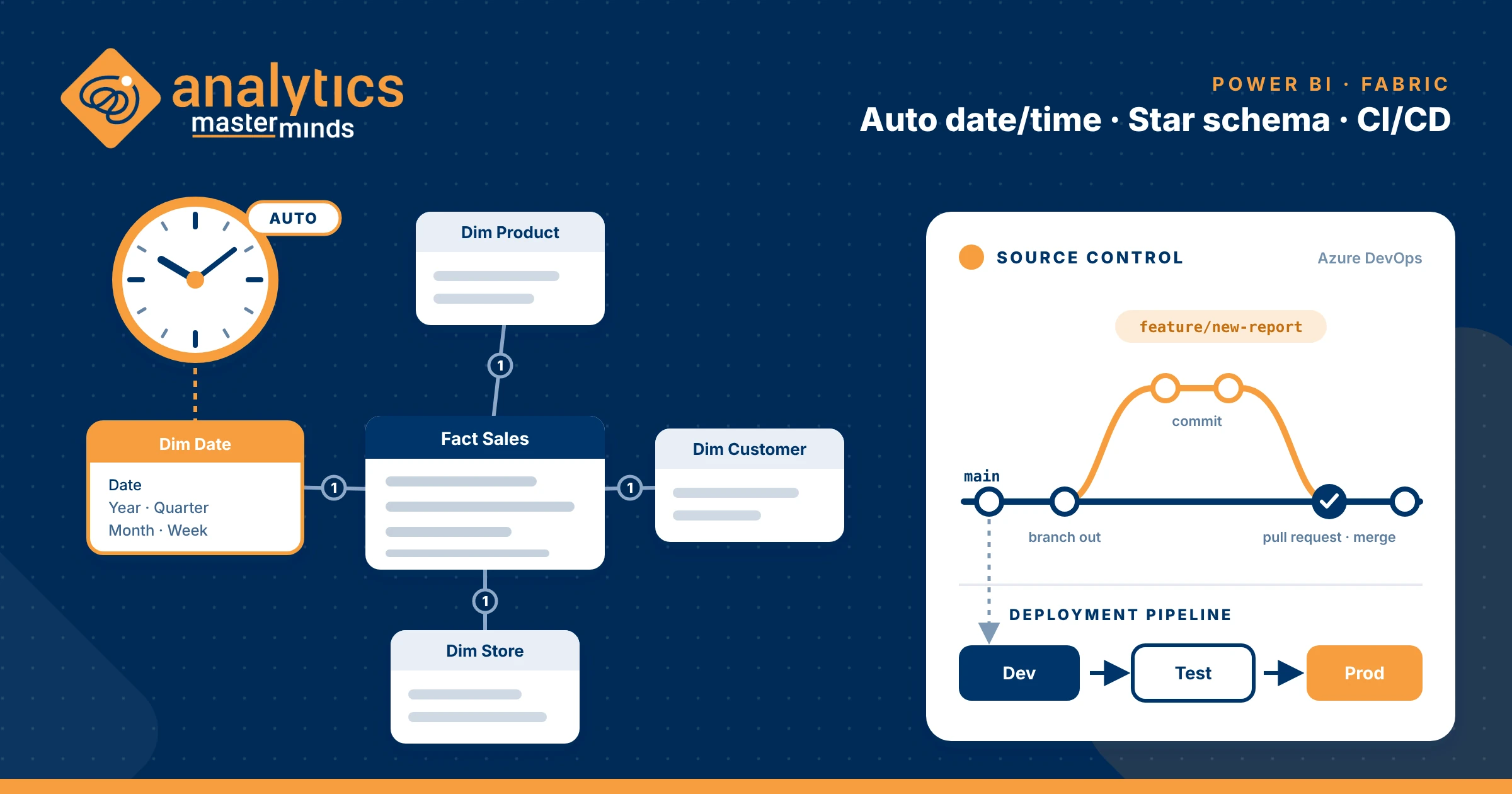
- Have they disabled Auto date/time?
- Are their semantic models designed around clear analytical purposes?
- Do they have any form of source control?
Why these three? Because they give me an early indication of three different areas of maturity:
- Do they understand Power BI as a tool?
- Do they understand dimensional modelling?
- Do they approach Power BI development as software development?
Of course, these aren't definitive measures of someone's experience. There are always exceptions. But they are surprisingly useful indicators of how an environment has been designed, developed, and maintained. Let's look at why they matter. And if you want us to assess your environment, download our Health check form for more information.
Hidden Auto Date/Time tables
Auto date/time is one of those Power BI Desktop settings that can easily go unnoticed. When enabled, which it is by default, Power BI automatically creates hidden date tables for each eligible date column in Import models. Each table comes with its own calculated date column and additional columns for common date attributes. And you won't normally see these tables when looking at your model.
Depending on your data, you could end up with several additional tables without even realizing it. Why does this matter? Because those tables consume memory, increase model size, and can add processing overhead during refresh. And perhaps more importantly, they aren't necessarily the best foundation for consistent time intelligence across your analytical solution.
For most production models, I recommend creating a proper date dimension instead. One that you control and can reuse across your fact tables. Auto date/time isn't inherently wrong, but it's a setting you should understand and use deliberately.
Semantic model monsters
This is probably the area I feel most strongly about. And it's something I see surprisingly often.
A semantic model starts with sales reporting. Then someone needs inventory. Then purchasing. Then finance. And rather than considering whether these requirements belong together, more tables, relationships, and measures are added. Eventually, you end up with an enormous model trying to answer every question the business could possibly ask.
But just because you can put everything into one semantic model doesn't mean you should.
Now, having multiple fact tables isn't inherently wrong. A well-designed model can absolutely contain multiple fact tables, even at different grains. What matters is that the model has a clearly defined analytical purpose and that each fact table has a consistent grain. When those principles are overlooked, things tend to get complicated. Relationships become harder to understand. DAX measures grow increasingly complex. Developers introduce workarounds, and users start questioning the numbers.
A large model isn't necessarily a bad model. But complexity should be intentional, not the result of continuously adding more and more without reconsidering the design.
If you're facing a monster model, start by identifying the analytical areas it needs to support. You might find opportunities to separate concerns, reuse dimensions, and create models that are easier to understand and maintain.
The goal isn't to create as many semantic models as possible. It's to create the right ones.
Source control development method
The third thing I look for is source control. Regardless of whether you have one developer or an entire team. What happens if someone introduces a change that breaks something that worked yesterday? Can you identify what changed? Can you go back? And can multiple developers collaborate without risking each other's work?
If your version control strategy is a folder full of PBIX files named Final, Final_v2, and Final_ReallyFinal, it might be time to reconsider your approach.
With Power BI Projects (PBIP), text-based model and report definitions, and Git integration, we have much better possibilities for managing Power BI development. But the tools themselves aren't the most important part.
It's about having a deliberate process for managing changes, protecting what works, and confidently moving forward. Power BI development is software development. It deserves the same attention to quality and maintainability.
Three Checks. Three Different Perspectives.
These three checks won't tell me everything about the quality of a Power BI environment. But together, they provide a useful starting point.
They tell me something about how well the organization understands the tool, the principles of dimensional modelling, and the practices required to maintain analytical solutions over time.
And ultimately, all three affect the business. Performance, reliability, maintainability, and the confidence users have in their reports.
Building a report that works today is one thing. Building an analytical solution that continues to deliver value as the business evolves is something else entirely.
How does your Power BI environment measure up?
If you're unsure how your environment stands on these fundamentals, or you're already experiencing performance issues, complicated models, or challenges managing development, we'd be happy to help.
Our Analytics Health Check provides an independent assessment of your analytical environment, helping identify risks, improvement opportunities, and where to focus your efforts.
Because knowing what to improve is often the first step towards getting more value from what you've already built.
Curious about your environment? Get in touch, or start with our Analytics Health Check.