
Application code has lived in Git for years. In many teams the database still has not. The schema lives in production, changes are written as scripts on someone's laptop, and the only complete record of what changed is the database itself.
That makes every other improvement harder. You cannot review a change you cannot see, you cannot test a deployment you cannot repeat, and you cannot automate a release when nobody is sure what state the target database is in.
In earlier articles we looked at what Redgate Flyway is and why database delays reduce the return on automation. This one is about the first practical step: getting an existing database into source control.
What source control gives you
Once the database is in Git, every change has an author, a date and a reason. Changes go through the same pull requests as application code, so a database specialist can review them before they reach production instead of after. And because the scripts are in the repository, every environment can be built from the same source.
It also changes the conversation about releases. The question is no longer who ran what, and where. It is which version a database is on.
Start from what is running today
Most teams do not start with an empty database. The first job is to capture the current state as a starting point.
With Flyway there are two common routes. You can script the existing schema into a first migration, so a new environment can be built from scratch. Or you can use flyway baseline to tell Flyway that an existing database is already at a given version, so only later changes are applied to it. Most teams need both: a script that builds a clean database for development and testing, and a baseline for the production databases that already exist.
Before you capture anything, compare your environments. Development, test and production rarely match exactly. An index added during an incident or a procedure fixed directly in production is easier to resolve now than after it has caused a failed deployment.
Version every change from then on
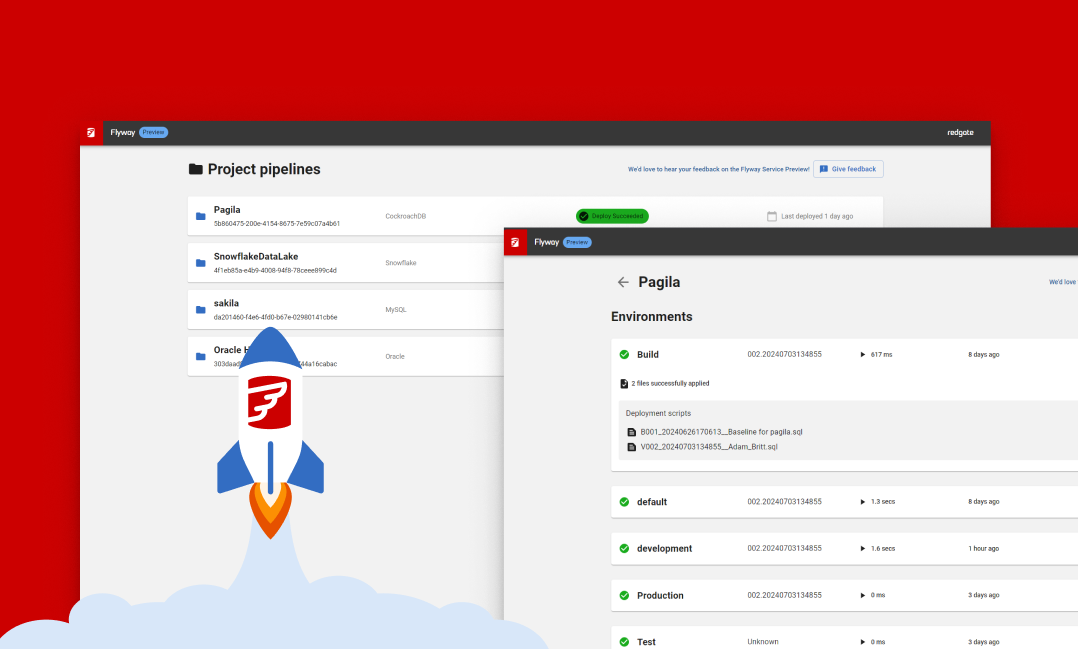
From the baseline onwards, every change is a migration script in the repository. Flyway applies versioned migrations in order and records each one in a schema history table inside the database, so it always knows which scripts a database has already had.
A few agreements make this work in practice:
- One change per migration, with a name that says what it does.
- A migration that has run is never edited. A correction is a new migration.
- Views, stored procedures and functions can be kept as repeatable migrations, which Flyway applies again whenever their content changes.
- Reference data the application depends on belongs in source control too. Customer data does not.
Let the pipeline do the deploying
With the database in Git, the pipeline can take over the work people used to do by hand. A pull request runs the migrations against a test database, so a broken script fails in the build rather than in a maintenance window. After approval, the same scripts move through test, acceptance and production in the same order.
Flyway runs from the command line, so it fits Azure DevOps, GitHub Actions or any other CI system. Teams on GitHub can use Redgate's Flyway Actions.
Depending on the edition and database platform, Flyway adds checks that help reviewers: reports of what a deployment will change, automated code checks, and drift detection that stops a release when production was changed outside the process.
Common worries
Our database is too big or too old. Size matters for data, not for the schema. A baseline captures structure, and Flyway only applies the changes that come after it.
Our DBAs will lose control. They gain it. They review every change in the pull request, and production only receives what was approved. Access to production can stay restricted to the pipeline.
We make emergency fixes directly in production. Sometimes that is necessary. Agree that every emergency fix is added to the repository afterwards, and use drift detection to catch the ones that were not.
Where to begin
Pick one application whose database changes often and causes friction. Compare its environments, capture a baseline, and put the next change through a pull request and a pipeline. One routine change that reaches production without a manual step is a better argument than any slide deck.
Masterminds is a longstanding Redgate Gold Partner. Our DevOps and Data teams help with the first assessment, the baseline and the pipeline, see Database Automation with Redgate Flyway. Get in touch if you want to bring your first database into source control.